Post Brands
Creating a sales analysis dashboard experience
Product
Dashboard
Category
UX Design
My Role:
Research,
Wireframes,
Prototype
Tools Used
Post Brands
Creating a sales analysis dashboard experience
Product
Dashboard
Category
UX Design
My Role:
Research,
Wireframes,
Prototype
Tools Used
Post Brands
Creating a sales analysis dashboard experience
Product
Dashboard
Category
UX Design
My Role:
Research,
Wireframes,
Prototype
Tools Used
VIEW PROTOTYPE
Main Problems
Main Problems
• The customer was going into a big spreadsheet and updating the forecast
• Brand managers make notes when they make changes to the forecast of the causals
• Currently they don’t have strong reporting: "why are different casual performing differently than the forecast? What happened to get those results?"
• Currently no notifications when a brand manager has updated the data
Main Goals
Main Goals
• Decrease time to diagnostic
• Decrease time to solution.
• Reduce the misdiagnosis coming from the brand managers
• Get consistency in how they identify and evaluate problems.
Users
Users
Primary: Brand Managers
Secondary: Cross functional teams
Tertiary: Excecutive Team
Information Architecture
We needed to create two flows after identifying what the different user groups can not access. This helped us identify all the different types of pages and how they are accessed.
Information Architecture
Browse dozens of templates. Click, duplicate, customize.
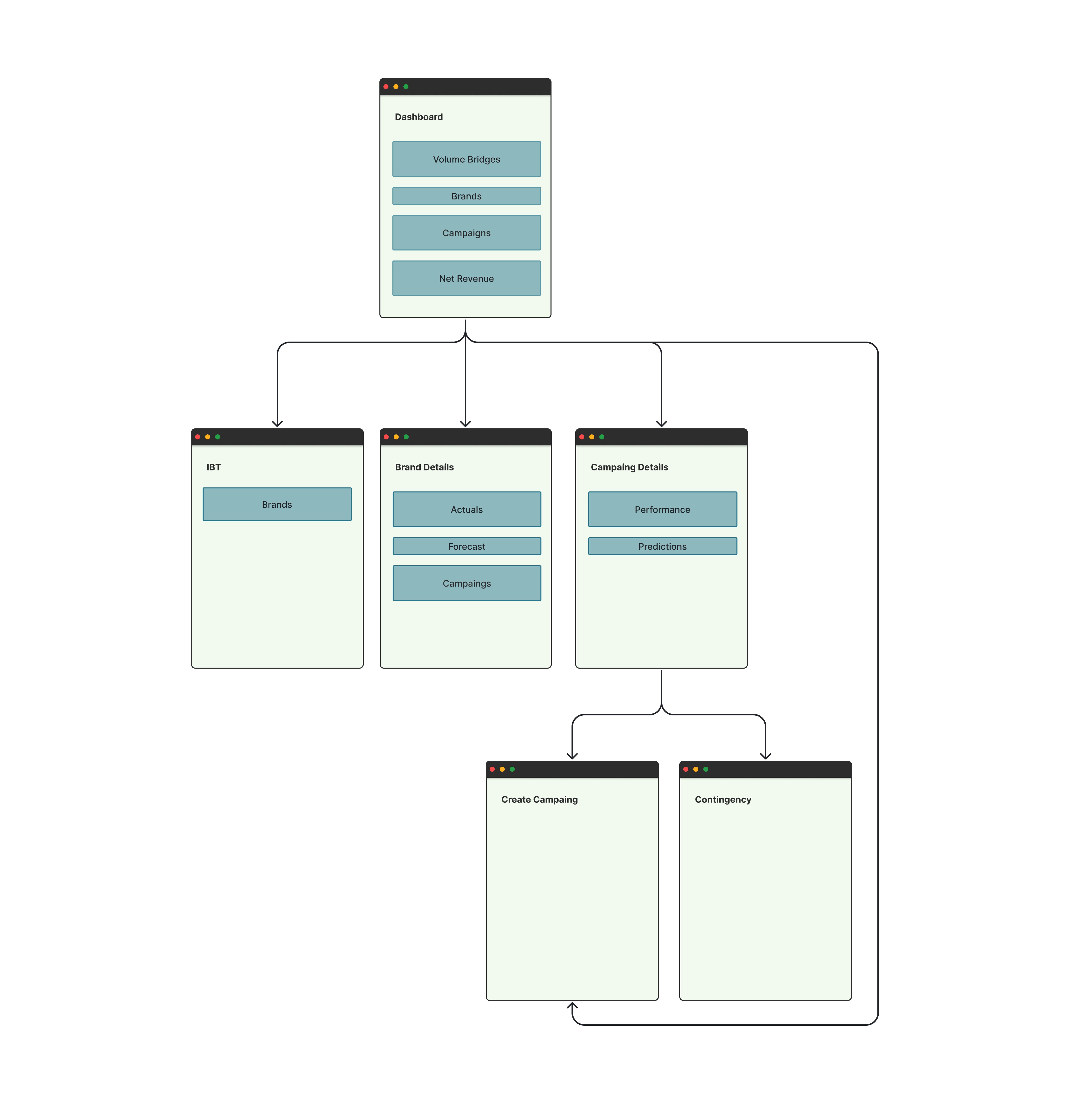
Executive Team
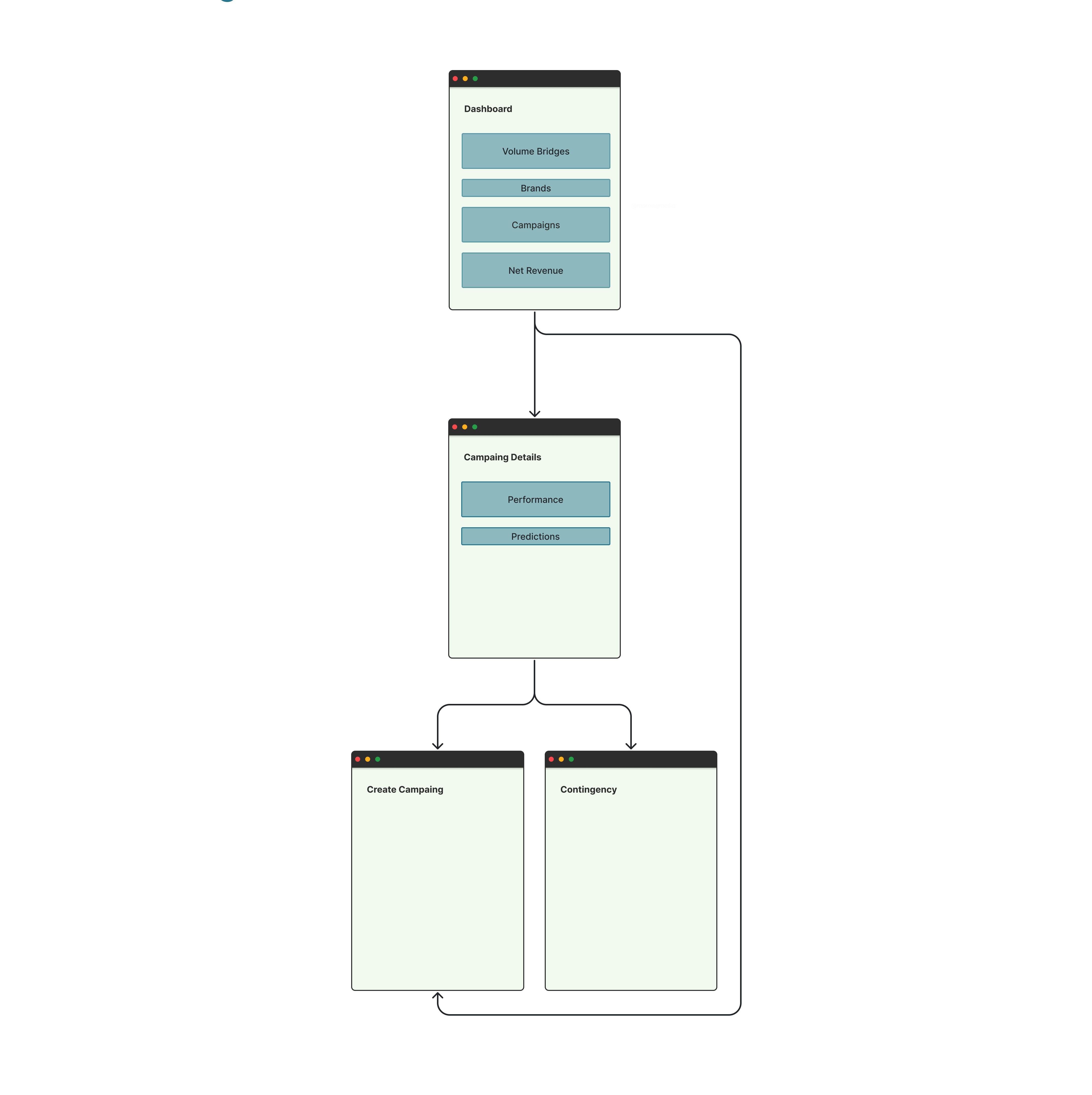
Brand Manager Team
Wireframes
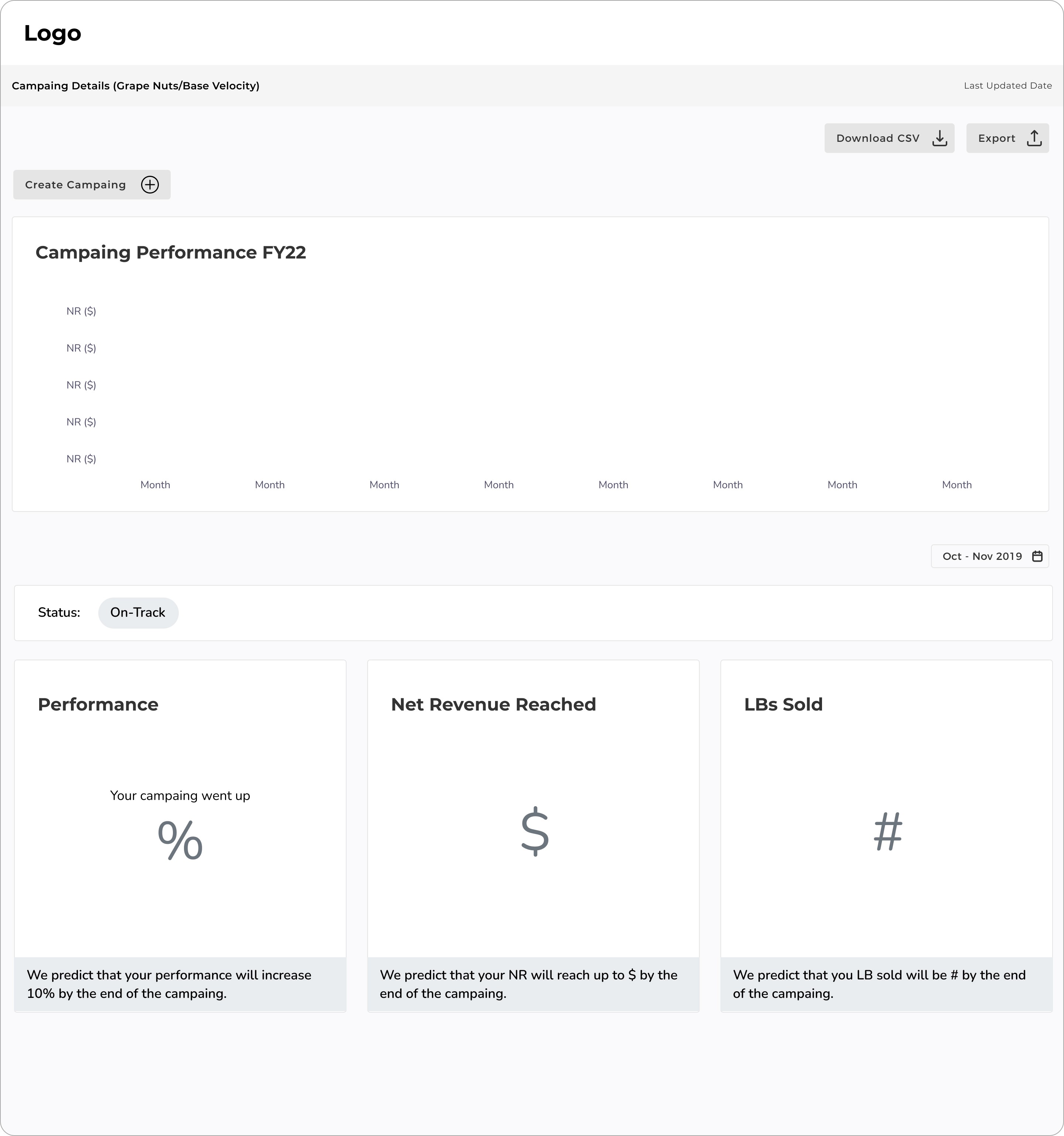
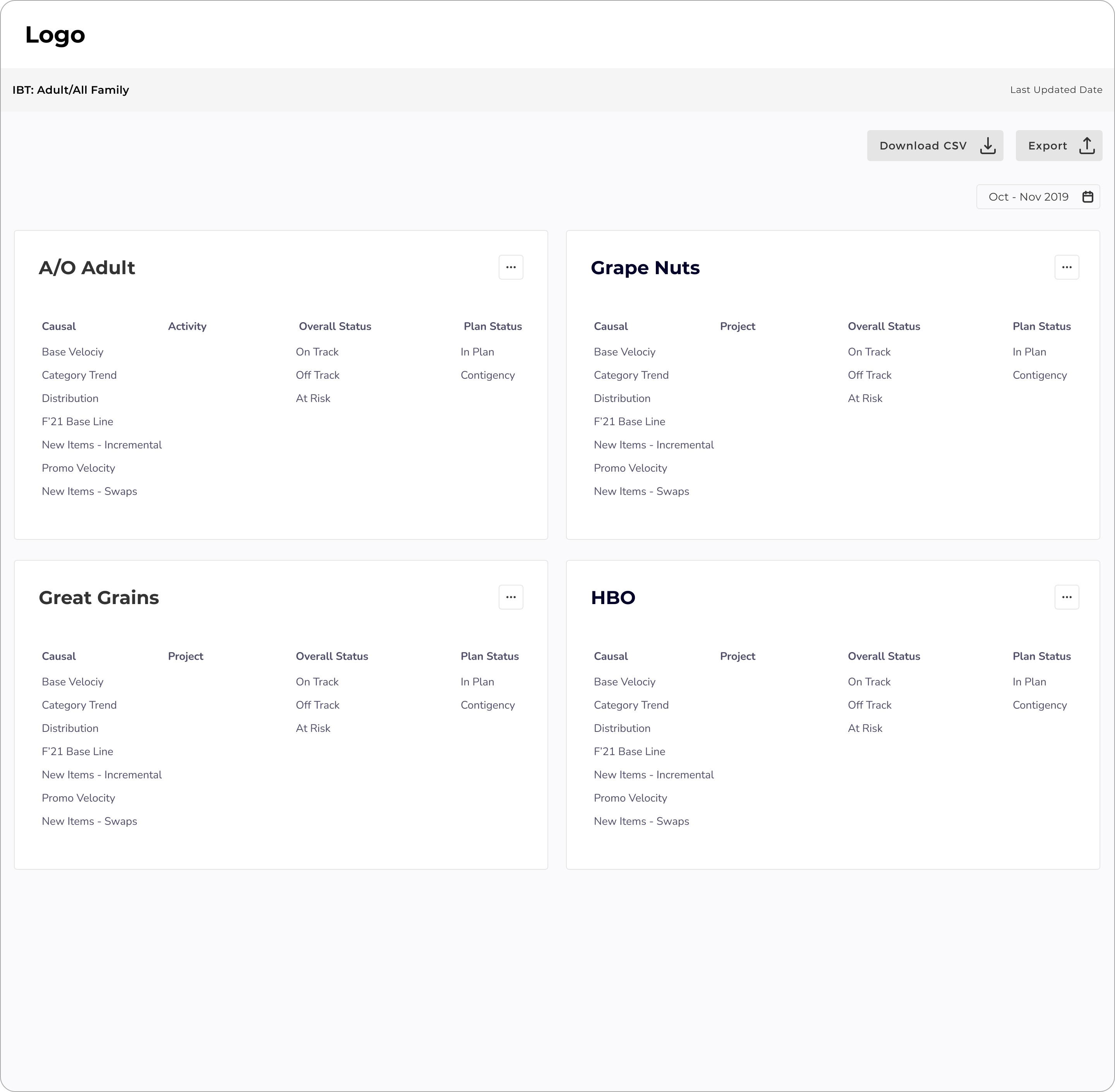
We presented many rounds of wireframes to the team to identify the hierarchy of content that needed to be on each screen.
Designs
We presented many rounds of wireframes to the team to identify the hierarchy of content that needed to be on each screen.
Wireframes
We presented many rounds of wireframes to the team to identify the hierarchy of content that needed to be on each screen.
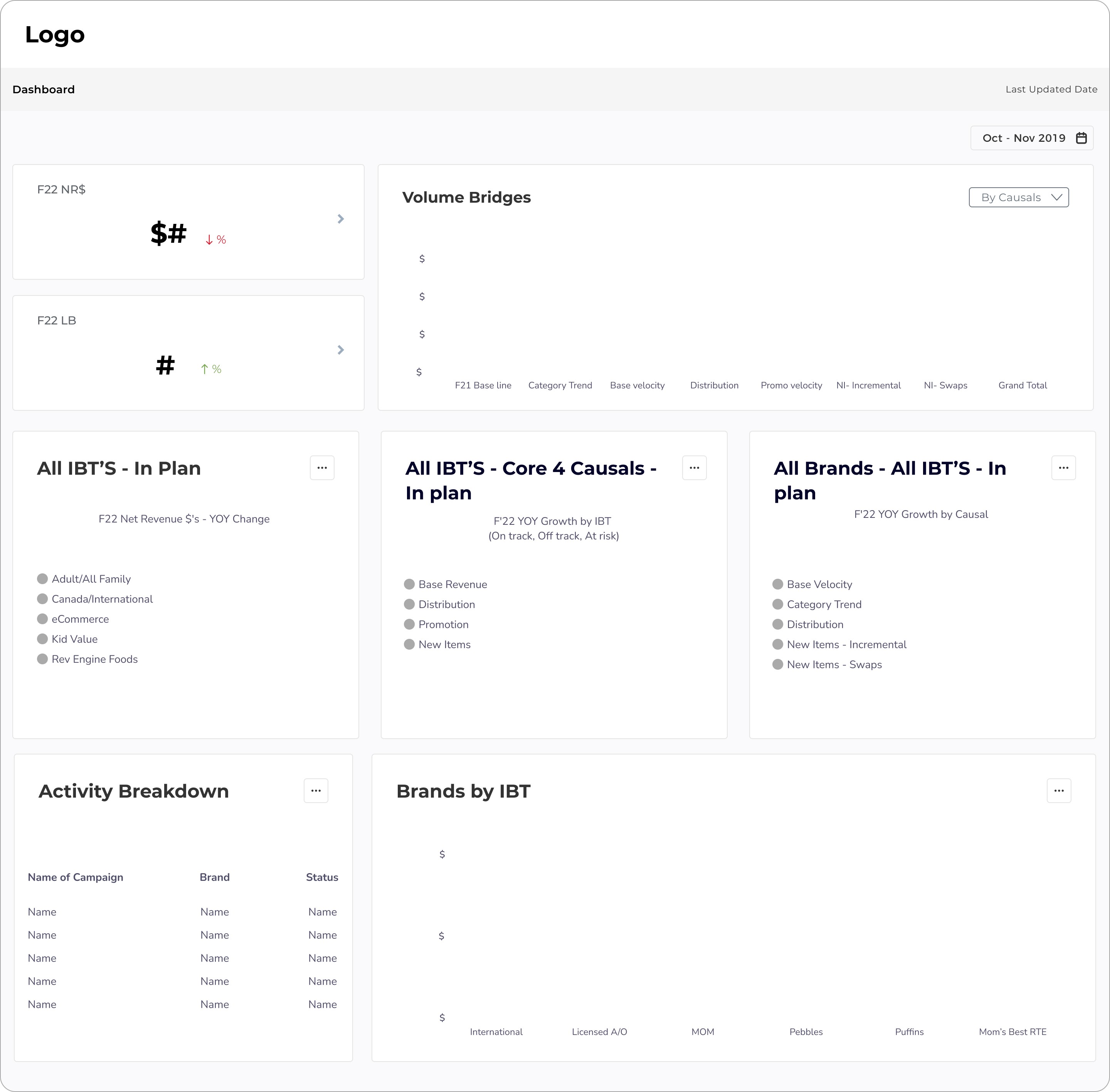
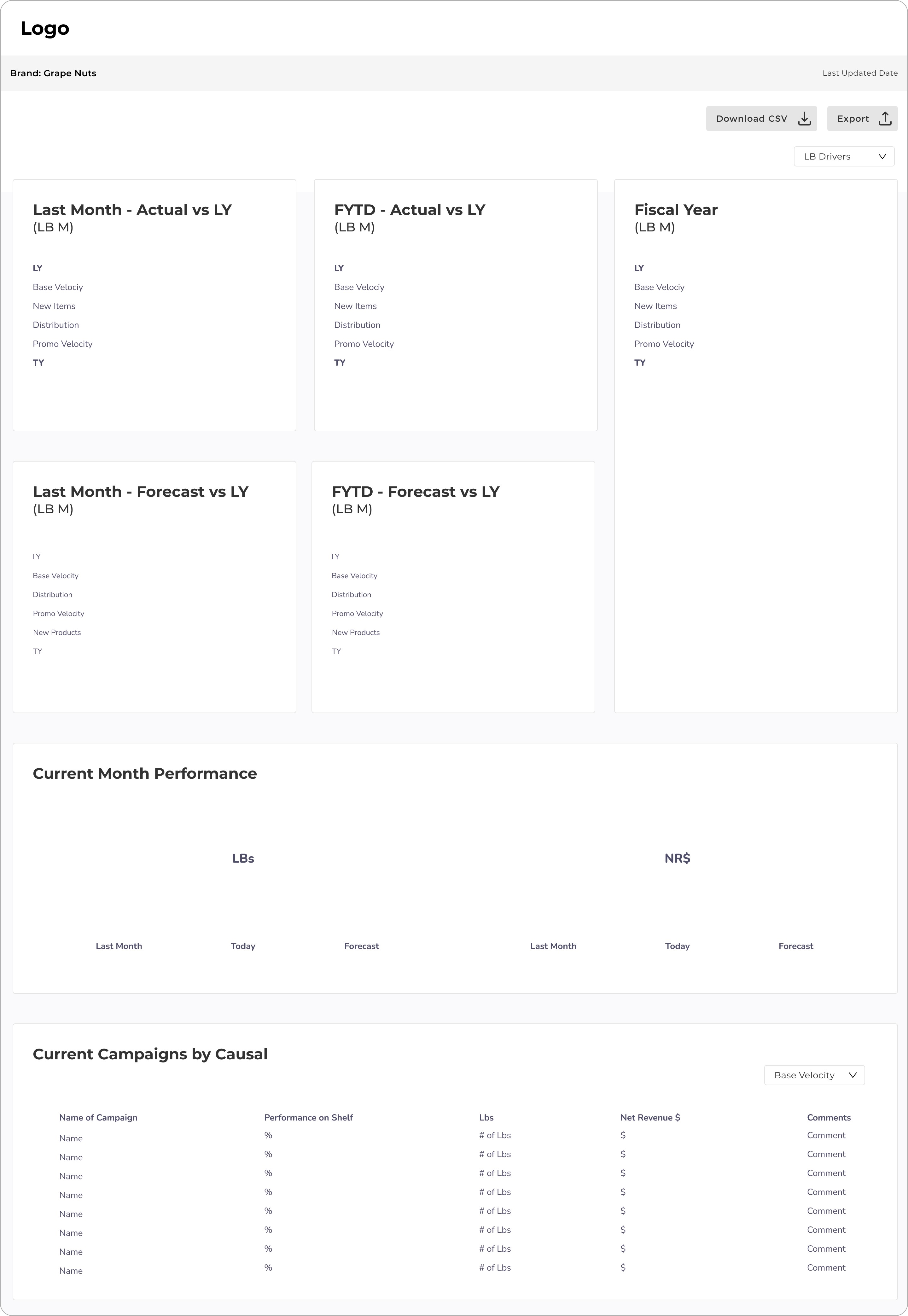
Final Designs
Final Designs
Executive Dashboard
Executive Dashboard
Features:
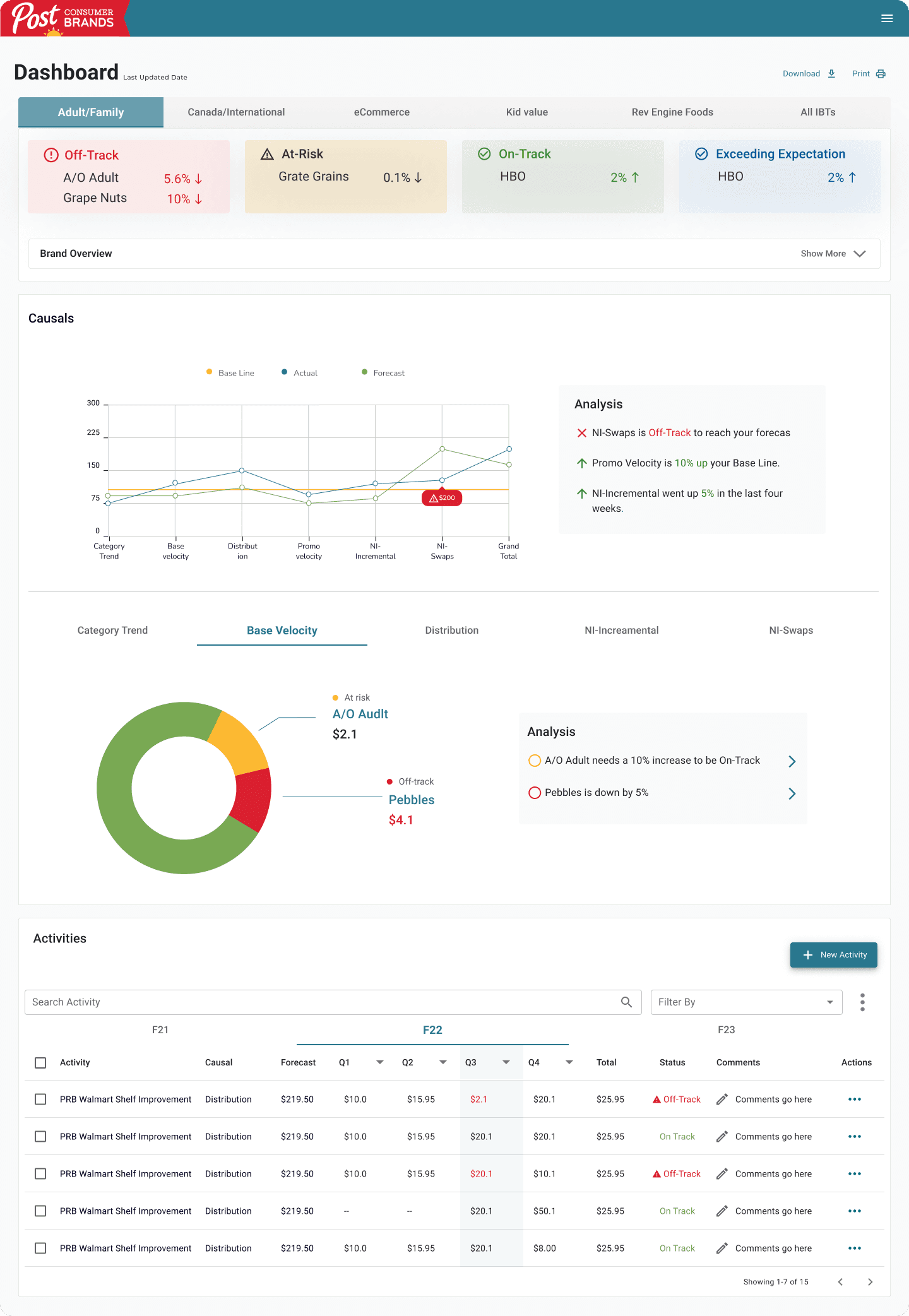
The IBT overview allows users to quickly identify the brands that are off-track, on-track, and at-risk within an specific IBT.
The IBT overview allows users to quickly identify the brands that are off-track, on-track, and at-risk within an specific IBT.
The first part of the causal overview shows users the current performance of the causals comparing it to the base line and the forecast. An analysis of the graph is also being provided for quick understanding.
The first part of the causal overview shows users the current performance of the causals comparing it to the base line and the forecast. An analysis of the graph is also being provided for quick understanding.
The second part of the causal overview provides a more detailed view of the them by showing the status of brands in that causal.
The second part of the causal overview provides a more detailed view of the them by showing the status of brands in that causal.
The activity overview shows a list of all the activities. Here we can see how these activities are performing, their status, and relevant comments.
The activity overview shows a list of all the activities. Here we can see how these activities are performing, their status, and relevant comments.
Final Designs
Final Designs
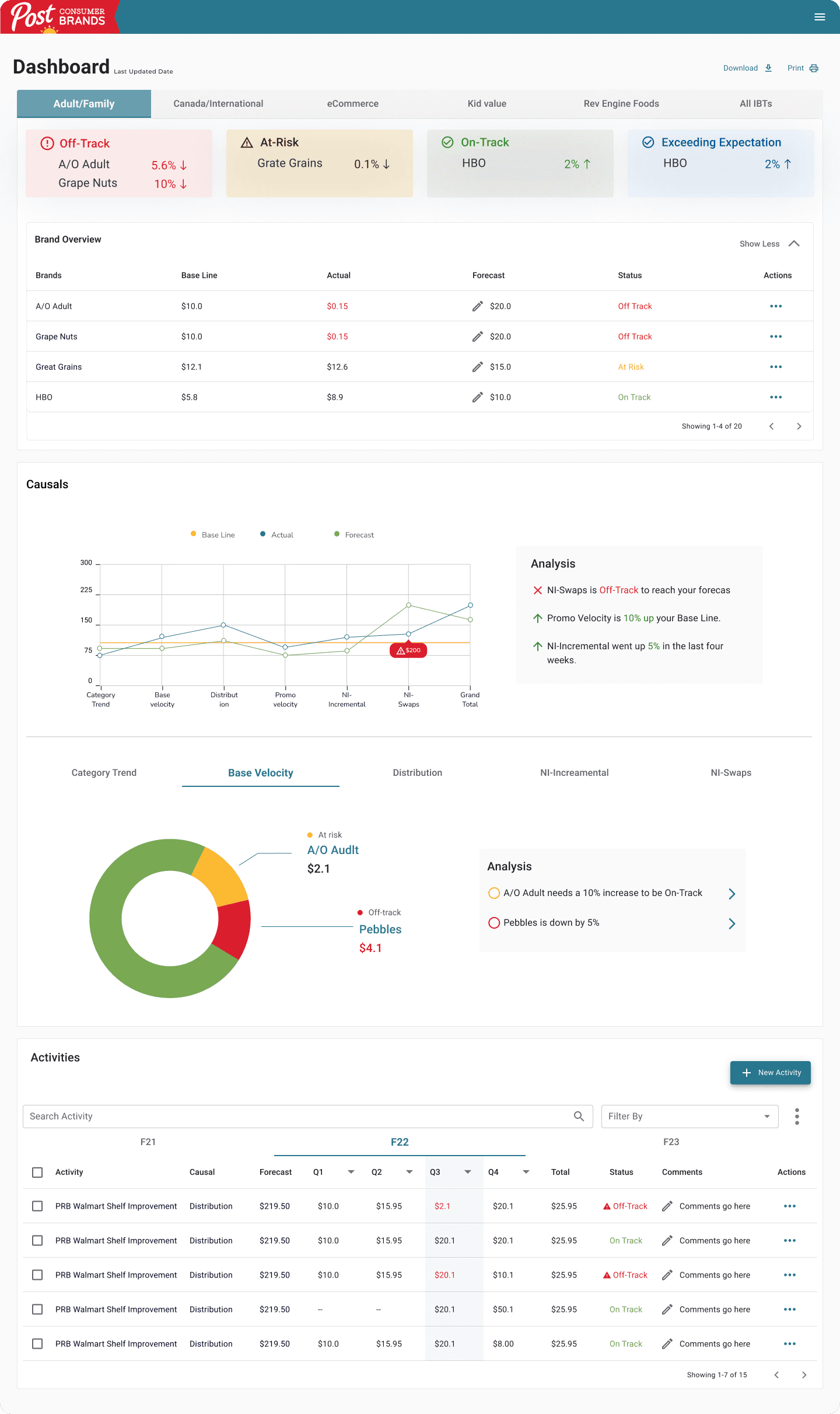
Executive Dashboard: Brand overview extended
Executive Dashboard: Brand overview extended
Actions:
Brand Table:
Ability to click in actions to open brand details page and see more detailed information.
Brand Table:
Ability to click in actions to open brand details page and see more detailed information.
Causal Charts:
Ability to hover over to see the metric amount.
Causal Charts:
Ability to hover over to see the metric amount.
Activities Table:
• Ability to edit metric values
• Ability to click in actions to open brand details page and see more detailed information.
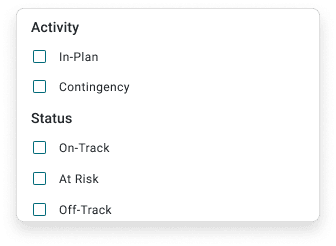
• Ability to filter activities by type and status
• Ability to search for a specific activity by name
• Ability to create a new activity
Activities Table:
• Ability to edit metric values
• Ability to click in actions to open brand details page and see more detailed information.
• Ability to filter activities by type and status
• Ability to search for a specific activity by name
• Ability to create a new activity
Final Designs
Final Designs
Brand Manager Dashboard
Brand Manager Dashboard
Features:
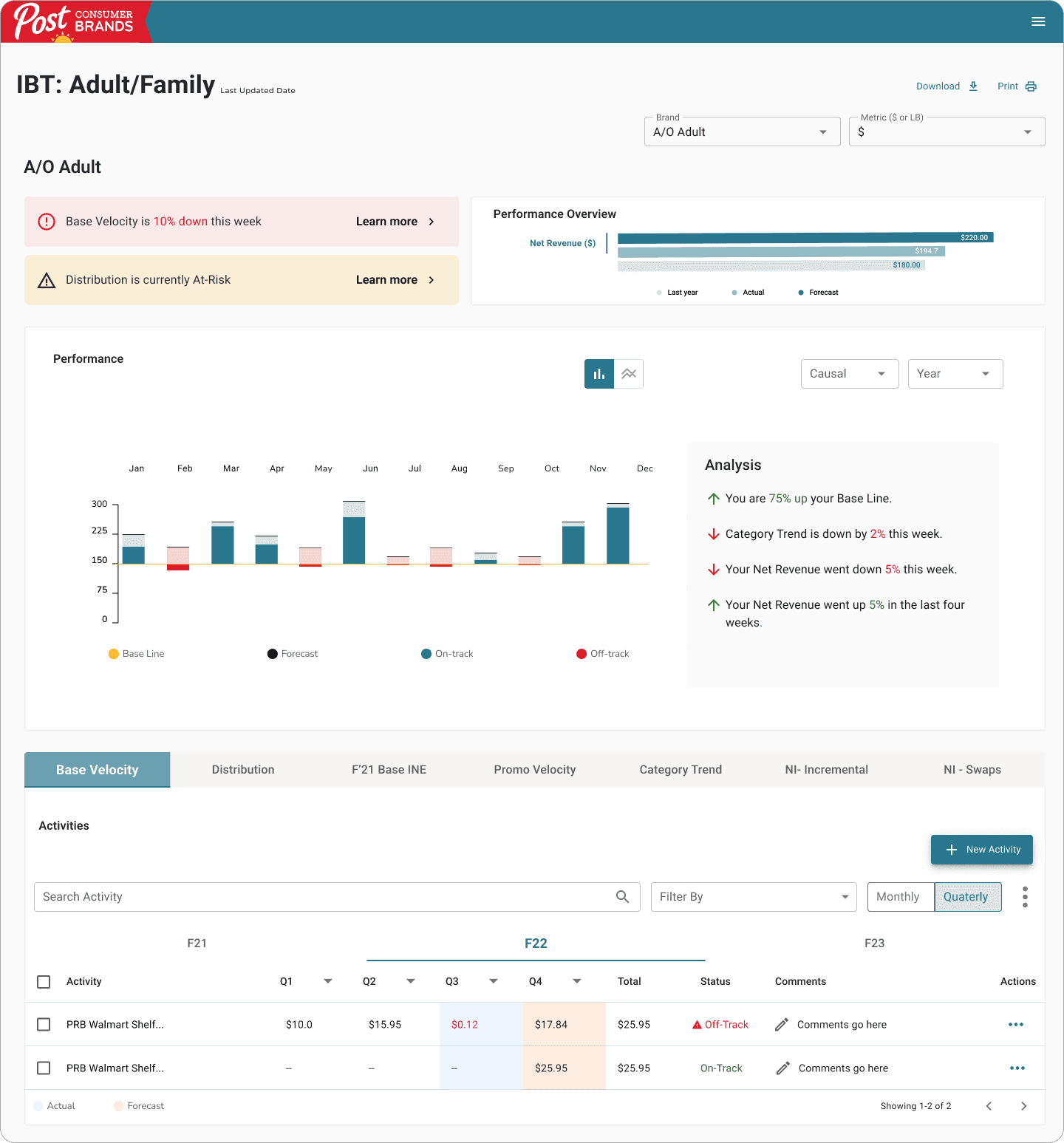
Alert notifications that indicate outsatnding items. Things that need attentation because they are at risk or off-track.
Alert notifications that indicate outsatnding items. Things that need attentation because they are at risk or off-track.
The performance overview allows users to see right away where are at compared to the last year and forecast.
The performance overview allows users to see right away where are at compared to the last year and forecast.
Ability to see brand performance throughout the year. Analysis modal provides quick and easy understanding.
Ability to see brand performance throughout the year. Analysis modal provides quick and easy understanding.
The activity table lists current activities within a causal.
The user has the ability to switch between years. They can also choose to see the monthly or quarterly view.
The activity table lists current activities within a causal.
The user has the ability to switch between years. They can also choose to see the monthly or quarterly view.
Final Designs
Final Designs
Brand Manager Dashboard
Brand Manager Dashboard
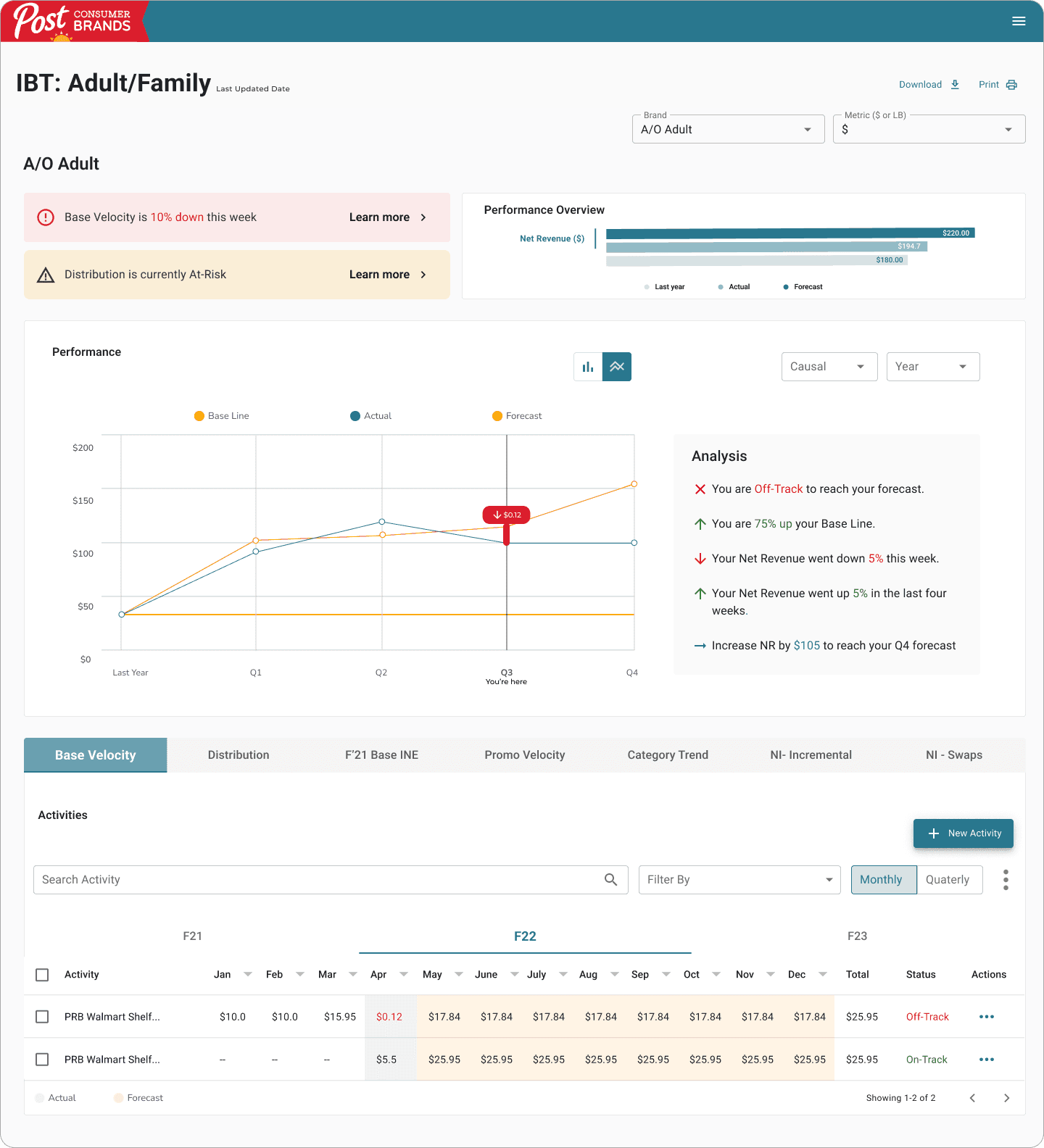
Actions:
Brand:
Switch between brands
Select metric
Performance Table:
Switch graph view.
Select causal
Select year
Hover over graph to see exact amount
Activity Table:
Switch between years
Quaterly or montlhy view
Search for an activity by name
Filter by status or type of activity (In-plan or contingency)
Fields are editable
Actions:
Brand:
Switch between brands
Select metric
Performance Table:
Switch graph view.
Select causal
Select year
Hover over graph to see exact amount
Activity Table:
Switch between years
Quaterly or montlhy view
Search for an activity by name
Filter by status or type of activity (In-plan or contingency)
Fields are editable
Final Designs
Final Designs
Final Designs
Brand Manager Dashboard
Brand Manager Dashboard
Brand Manager Dashboard
Features:
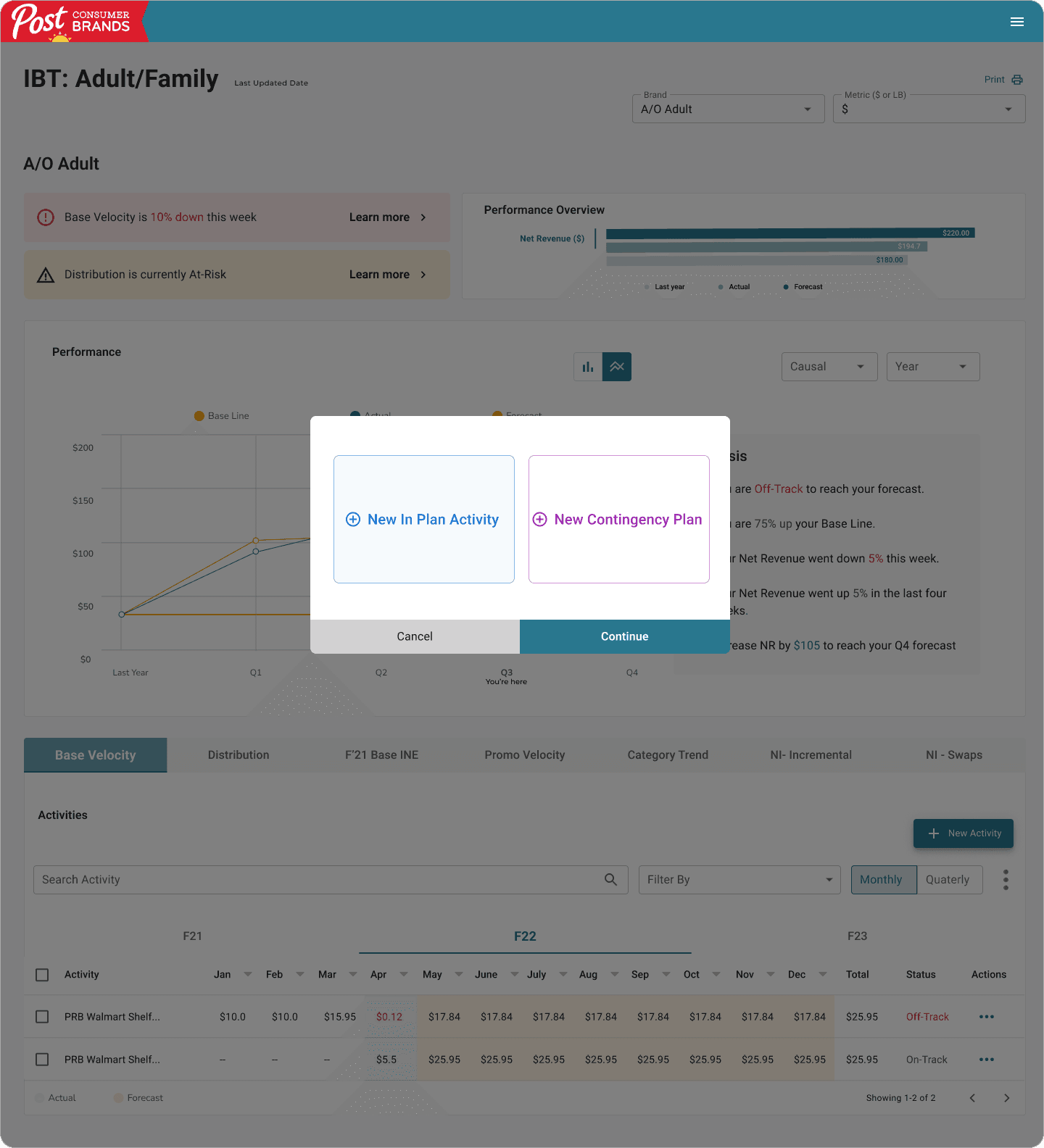
CTA to create a new in plan activity.
CTA to create a new in plan activity.
CTA to create a new contingency plan.
CTA to create a new contingency plan.
Final Designs
Final Designs
Brand Manager Dashboard
Brand Manager Dashboard
Features:
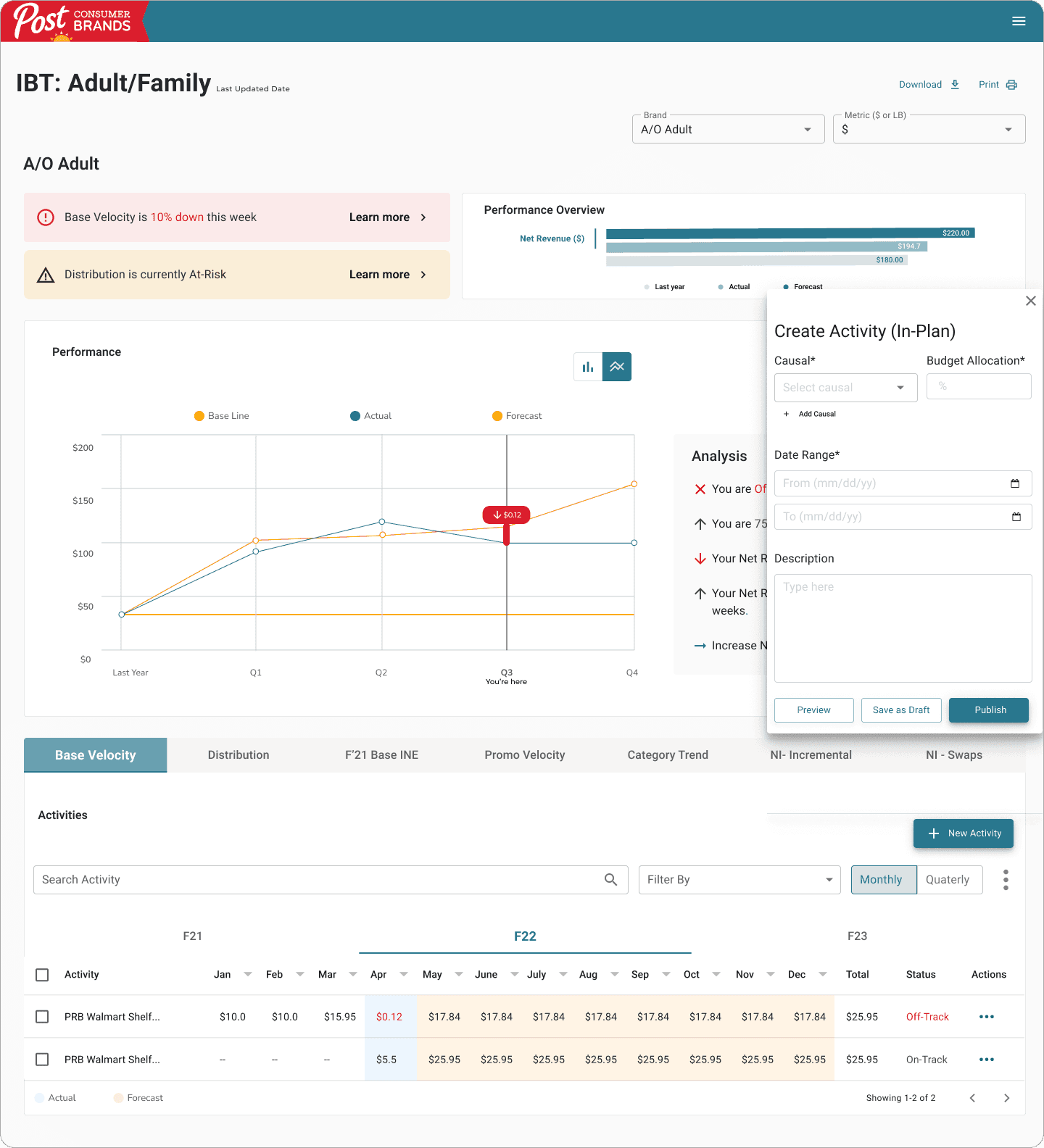
The side drawer to create a new activity, will prompt the user to enter a causal and allocate budget.
The user will also have the ability to enter a date range and add a description.
The side drawer to create a new activity, will prompt the user to enter a causal and allocate budget.
The user will also have the ability to enter a date range and add a description.
Ability to preview the activity, save as a draft, and publish.
Ability to preview the activity, save as a draft, and publish.
After publishing an activity, the user will be able to see the new activity in the activity table.
After publishing an activity, the user will be able to see the new activity in the activity table.
Final Designs
Final Designs
Final Designs
Brand Manager Dashboard
Brand Manager Dashboard
Brand Manager Dashboard
Features:
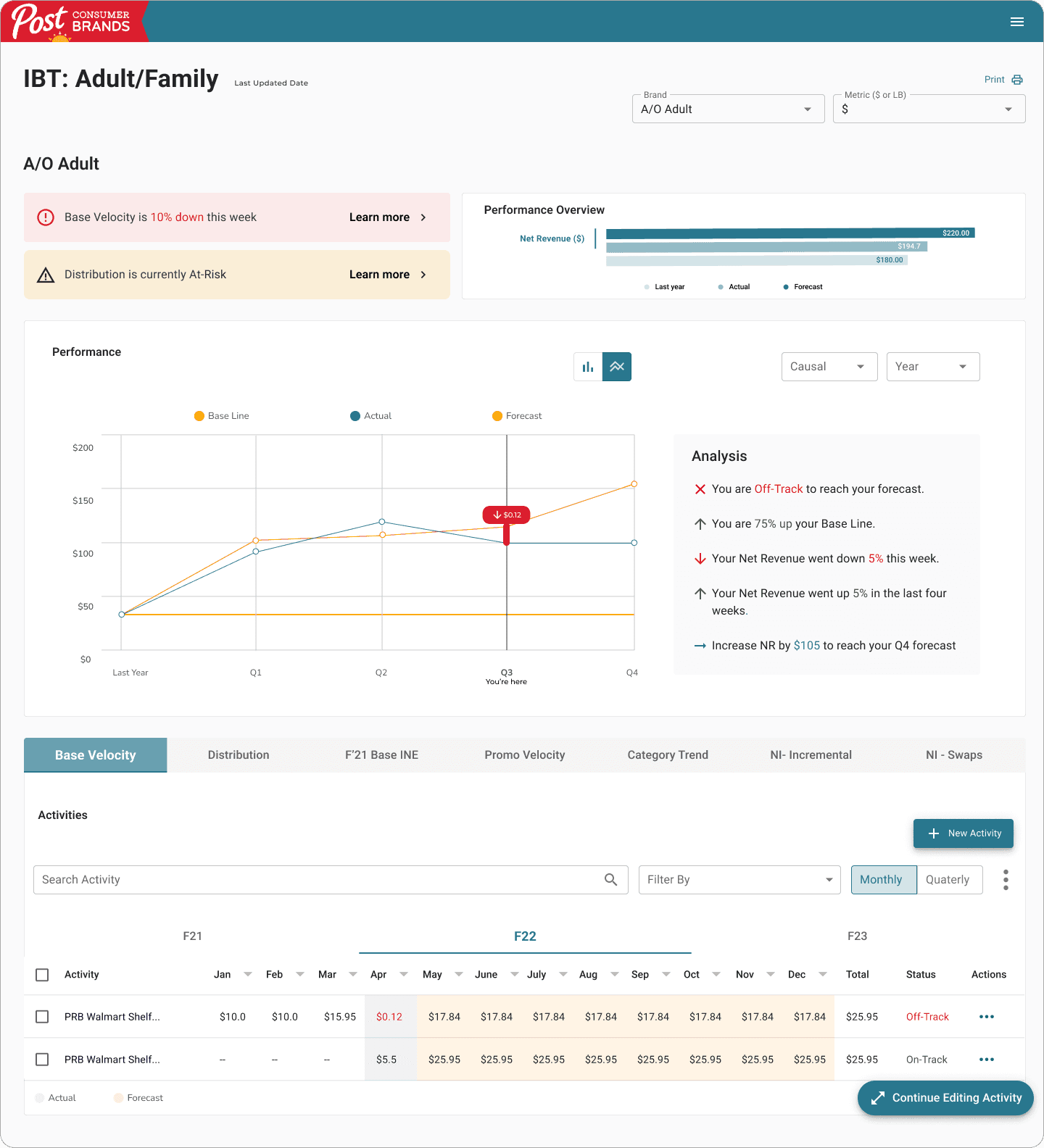
If user clicks on safe as draft, the activity creation modal will be closed but will live at the bottom of the page for easy access.
If user clicks on safe as draft, the activity creation modal will be closed but will live at the bottom of the page for easy access.
The Outcomes
Time Saving Dashboard Experience
Users are now able to make data-driven decisions quickly and focus their time on selling and less time on administrative tasks or searching for data they need. Everyone now on the team is using the same data to make decisions—with these reports serving as single sources of truth.
Get in touch
erikaweldon@gmail.com

The Outcomes
Time Saving Dashboard Experience
Users are now able to make data-driven decisions quickly and focus their time on selling and less time on administrative tasks or searching for data they need. Everyone now on the team is using the same data to make decisions—with these reports serving as single sources of truth.
The Outcomes
Time Saving Dashboard Experience
Users are now able to make data-driven decisions quickly and focus their time on selling and less time on administrative tasks or searching for data they need. Everyone now on the team is using the same data to make decisions—with these reports serving as single sources of truth.
Get in touch
erikaweldon@gmail.com
The Outcomes
Time Saving Dashboard Experience
Users are now able to make data-driven decisions quickly and focus their time on selling and less time on administrative tasks or searching for data they need. Everyone now on the team is using the same data to make decisions with these reports serving as single sources of truth.